 [TP1]
[TP1]The Indicator Lab
Describe the indicator. Watch it get built. Review its preview and verification report.
You have a dozen indicators on your chart and you trust none of them. Type the one you want in plain English. The Lab drafts it with AI, runs it on real futures data, and reports the checks and known gaps for the sample it tested. Included with your Taking Prophets membership.
Your Discord role is your login. The Lab opens with an active Taking Prophets membership.
- Consulting Pine v6 reference
- Checking the TP playbook — FVG definition
- Drafting indicator
- Running on real NQ futures data
- Tracing logic bar by bar
- Reviewing rendered chart
- Repaint check — replay test
Scripted build demonstration. Timings and results are illustrative.
lab › On your chart. Keep talking to revise — every change re-verifies.
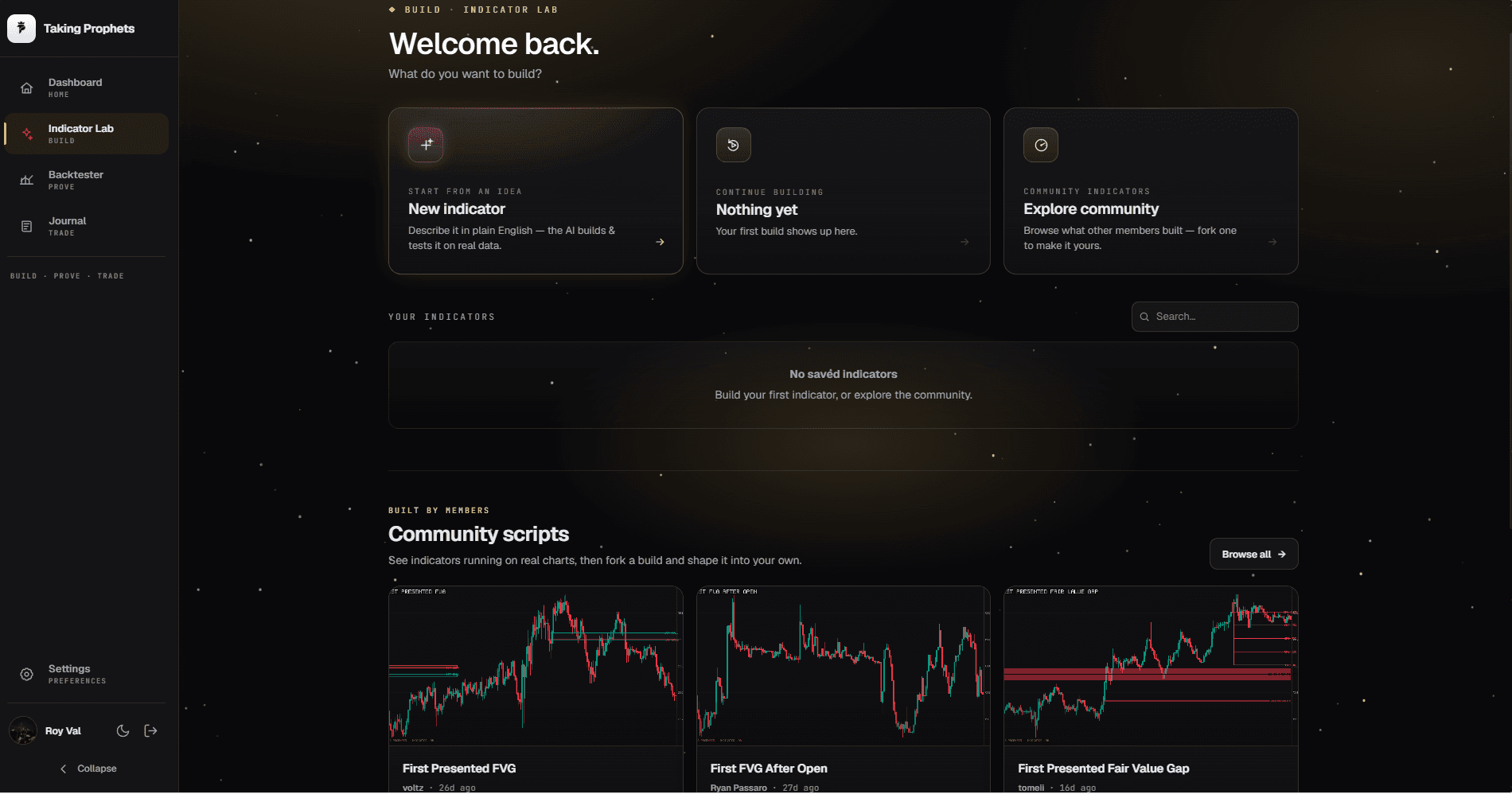
The Lab itself. Start from an idea, or fork what other members already built.
Custom Pine development takes iteration. And you still had to trust it.
The old way
A custom indicator needs implementation and review. When it finally lands on your chart, you are left trusting that it compiles, that the sessions are right, and that it isn't quietly repainting history.
The Lab
The Lab cuts that to minutes. And it doesn't ask for your trust. It shows receipts.
How it works. Four steps, then keep talking.
Say what you want.
Type it like you'd say it in the server. "First FVG after the open." "Mark breakers on the 5." Or tap a starter and go.
Watch it work.
The AI builds like an engineer, in the open. It reads the Pine v6 reference. It checks the Taking Prophets playbook. It drafts, runs the script on real NQ futures data, traces the logic bar by bar, looks at its own rendered chart, and runs a repaint check.
It lands on a live chart.
Real CME futures data, NQ, ES or BTC on the 1m, 5m or 15m, with a receipt:
Illustrative receipt: completed checks and known gaps vary by buildThen just keep talking.
"Dim the boxes after mitigation." "Add alerts." "Add SMT vs ES." Every revision goes back through verification before it hits your chart. Tweak inputs live from the settings. No rebuild needed.
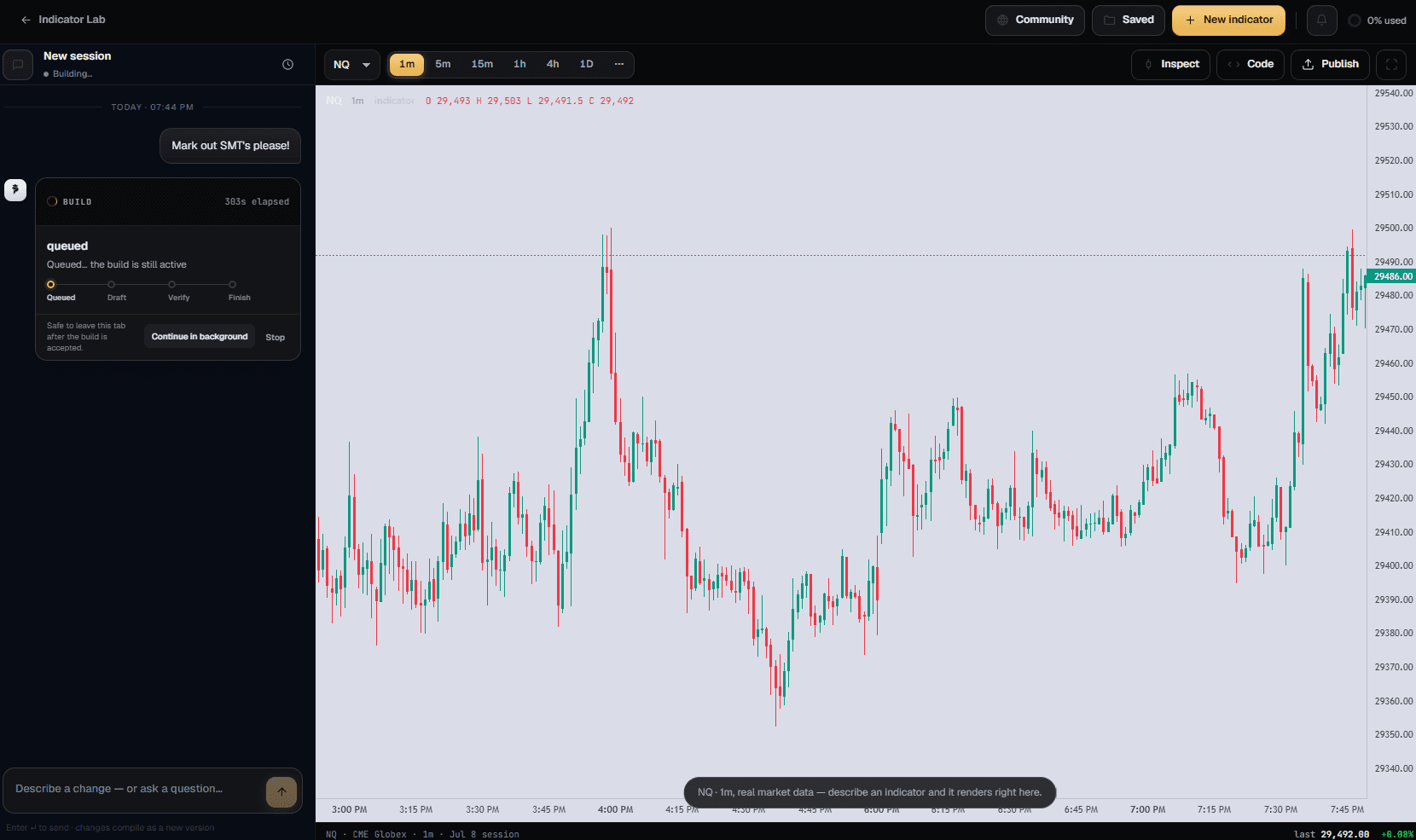
Every result has a verification status. Anyone can bolt a chat window onto an AI and spit out Pine Script. The Lab runs every build before you see it.
It executes. It doesn't just generate.
Our interpreter supports a documented subset of Pine. Builds run compile and runtime checks on bounded samples. Unsupported language features and missing coverage must be reviewed in the result.
Repaint checks with stated limits.
Static checks and bounded causal replay comparisons look for future dependence in supported plots and drawings. Lawful drawing updates are allowed. Passing the tested windows is not a universal non-repainting guarantee; partial or skipped coverage is reported.
Check the export on TradingView.
Our local compiler catches supported Pine errors. TradingView uses a separate engine, so compile and inspect your exported script there before relying on it.
It has eyes.
Before shipping, the AI screenshots its own rendered chart and grades it against the house cleanliness rubric: overlap, occlusion, color discipline. Signal-style indicators ship alert-ready.
It already speaks ICT. Your words mean what they mean in the server.
Ask a generic AI to "mark breakers" and you get whatever the internet taught it. The Lab is pinned to the Taking Prophets canon, distilled from the published TP indicators, with killzones on exact ET windows.
Build it once. Keep it everywhere. Then take it to the Proving Ground.
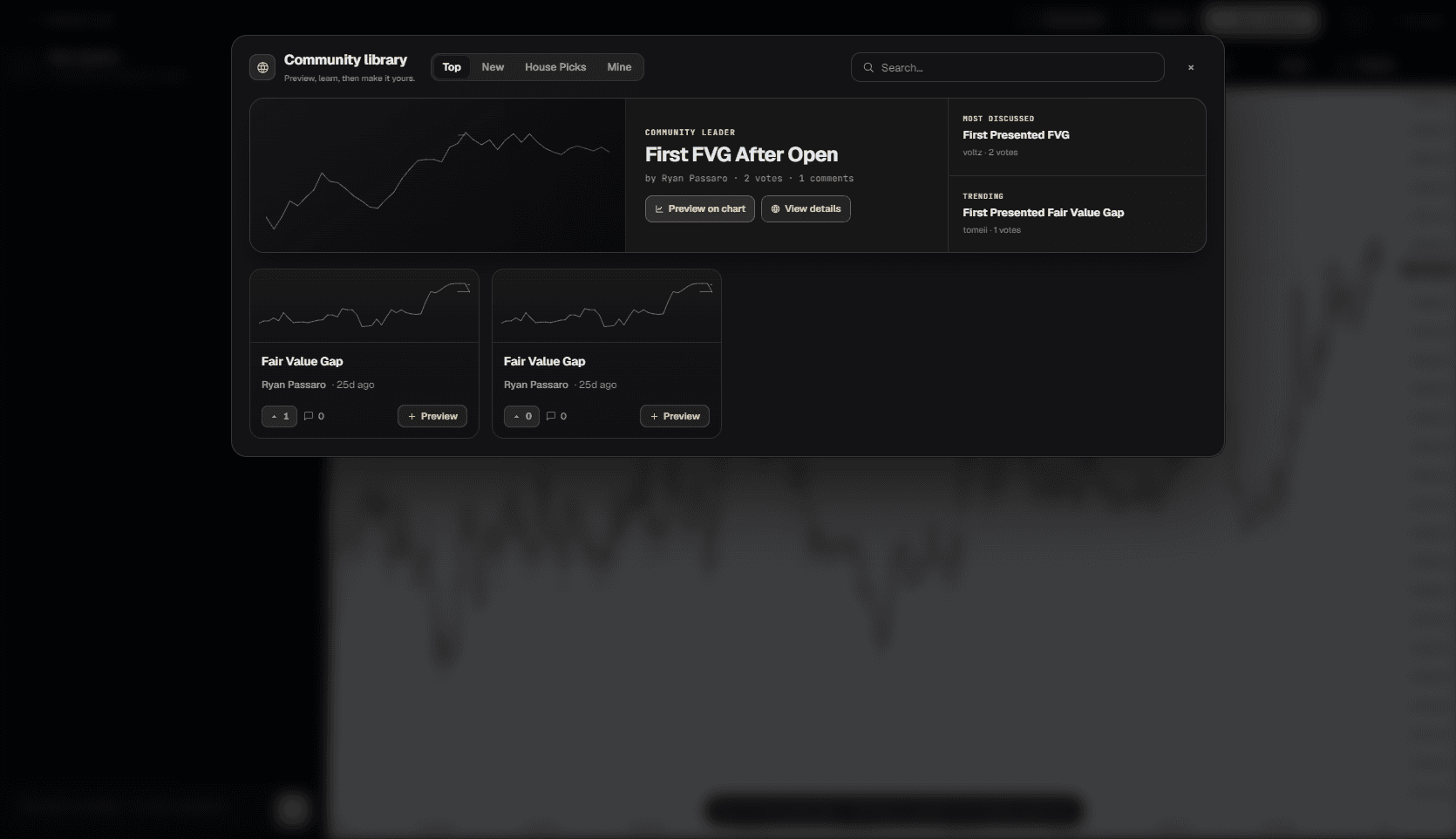
Everything you build saves to your library and syncs across devices. When you make something worth showing off, one tap publishes it to the community gallery. The chart posts to Discord on its own and gets a public share page with your chart as the card.
Published indicators show previews only. Nobody can lift your code.
The Lab invents it. The Proving Ground proves it. Your exact build, loaded onto a bar by bar CME futures replay, run against real prop firm rules before you ever risk a funded account. Same engine, same membership.
What it costs. The Lab comes with the membership you already pay for.
- The Lab is a paid membership benefit. Your member role in Discord is your login.
- Every membership includes a monthly build allowance.
- Running your indicators on the Lab chart never uses build usage.
Cancel anytime; cancelling stops the next charge. All sales are final. No refunds, including partial periods. Terms
- Burn through your included usage? Top up and keep building.
- $50 adds +10% bonus credit.
- $200 adds +20%.
- Download the Pine code of your own builds, included.
- Each download is licensed to you for personal use. Put it on your own TradingView account.
- Protected or third-party source can't be exported.
Inspect each preview, its verification coverage and known gaps before using the result. Build time depends on the request.
Questions, answered.
Do I need to know Pine Script?
No. You describe what you want in plain English. If you do know Pine, you can get specific. The Lab keeps up.
Does it repaint?
Read the build’s actual verification coverage. Bounded replay checks can detect supported forms of future dependence, but do not guarantee all data, settings or TradingView behavior.
Will it work when I paste it into TradingView?
The export includes Pine source and setup guidance. Compile and test it on TradingView; the two engines have documented differences and supported-feature limits.
Can someone copy my indicator?
No. The gallery shows chart previews only, and every published build carries a structural fingerprint. Your code stays yours.
What markets and timeframes?
ES, NQ, YM, GC, SI and their micros, from one-second bars up to daily. Real CME futures data, not synthetic candles.
What happens if I run out of included usage?
Running your saved indicators on the Lab chart never uses build usage. Top-ups only gate new builds and revisions.
The indicator you've been sketching in your head is about a minute away.
Log in, type it, and watch it get built and verified. Not a member yet? The membership is the login.
The Indicator Lab builds charting and analysis tools for study and educational purposes. Indicators are not trading signals or recommendations, and nothing in the Lab constitutes financial advice. "Verified" refers only to the mandatory checks and coverage recorded for that build. It does not guarantee complete Pine support, universal non-repainting behavior or trading performance. Trading futures and other instruments involves substantial risk of loss.
Taking Prophets and the Indicator Lab are not affiliated with, endorsed by, or sponsored by TradingView. "TradingView" and "Pine Script" are trademarks of TradingView, Inc.